
Custom NPC Spawn Rules
Goal
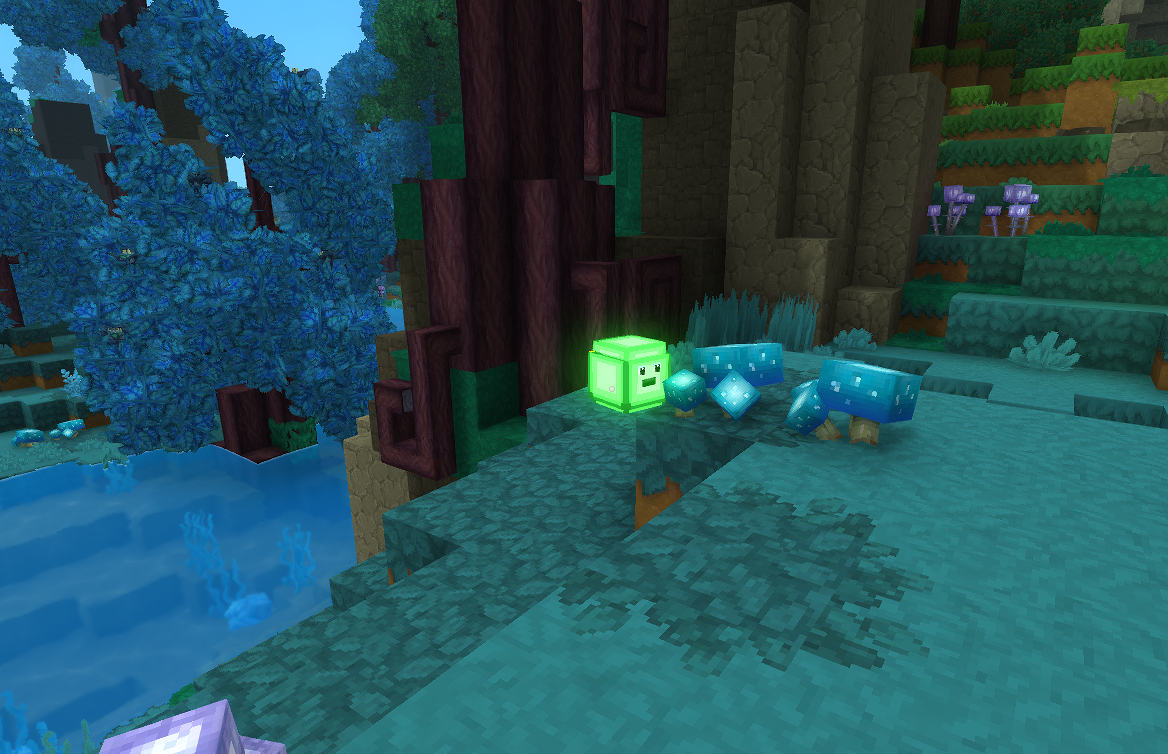
Create spawn rules that make your custom NPCs appear naturally in the world. You will make the Slime from the Create a Custom NPC tutorial spawn in Azure forests, and the Feran Enchanted Merchant from the NPC Shops and Trading tutorial spawn in Feran biomes.
What You’ll Learn
- How world spawn files control where and when NPCs appear in biomes
- How
Environmentsconnect spawn rules to specific biomes - How
Weight,Flock, andDayTimeRangecontrol spawn frequency, group size, and timing - How
SpawnBlockSetrestricts NPCs to specific surface types
Prerequisites
- The Slime NPC mod from Create a Custom NPC
- The Feran Enchanted Merchant mod from NPC Shops and Trading
Companion mod repository: hytale-mods-custom-npc-spawns
Spawn System Overview
Hytale uses world spawns to make NPCs appear naturally as players explore. Spawn files live in Server/NPC/Spawn/World/ and are organized by zone. The engine reads every JSON file in each zone directory and merges them. Each file associates a list of environments (biomes) with NPCs that can spawn there.
Server/NPC/Spawn/ World/ Zone0/ (Ocean) Zone1/ (Azure Forest, Plains, Mountains) Zone2/ (Feran, Savanna, Desert) Zone3/ (Tundra) Void/ (Night creatures)Environment IDs
Environments represent biomes. Each zone has several environment variants:
| Zone | Common Environments |
|---|---|
| Zone 1 | Env_Zone1_Forests, Env_Zone1_Azure, Env_Zone1_Autumn, Env_Zone1_Plains, Env_Zone1_Mountains_Critter |
| Zone 2 | Env_Zone2_Feran, Env_Zone2_Savanna, Env_Zone2_Desert, Env_Zone2_Oasis, Env_Zone2_Plateau |
| Zone 3 | Env_Zone3_Tundra |
Step 1: Create the Slime World Spawn
World spawns make NPCs appear naturally as the player explores. Vanilla predators like Bears and Spiders use this system to populate forests.
Here is the vanilla forest predator spawn for reference:
{ "Environments": [ "Env_Zone1_Forests", "Env_Zone1_Autumn", "Env_Zone1_Azure" ], "NPCs": [ { "Weight": 5, "SpawnBlockSet": "Soil", "Id": "Bear_Grizzly" }, { "Weight": 5, "SpawnBlockSet": "Soil", "Id": "Spider" } ], "DayTimeRange": [6, 18]}Now create a spawn file for Slimes in Azure and standard forests:
NPCSpawning/Server/NPC/Spawn/World/Zone1/Spawns_Zone1_Azure_Slime.json{ "Environments": [ "Env_Zone1_Azure", "Env_Zone1_Forests" ], "NPCs": [ { "Weight": 15, "SpawnBlockSet": "Soil", "Id": "Slime", "Flock": "One_Or_Two" } ], "DayTimeRange": [ 6, 18 ]}Field Breakdown
| Field | Value | Purpose |
|---|---|---|
Environments | ["Env_Zone1_Azure", "Env_Zone1_Forests"] | Slimes spawn in Azure and standard forest biomes |
Weight | 15 | Spawn frequency relative to other NPCs. Compare: vanilla predators use 5 |
SpawnBlockSet | "Soil" | Spawn only on ground blocks. Other options: "Birds" (air), "Water" (aquatic), "Volcanic" (cave) |
Id | "Slime" | Matches the NPC role filename (Slime.json) without .json |
Flock | "One_Or_Two" | Spawns 1-2 Slimes together. Other options: "Group_Small", "Group_Medium", "Group_Large" |
DayTimeRange | [6, 18] | Active from 6 AM to 6 PM (daytime only) |
Flock Options
| Flock Value | Group Size | Use Case |
|---|---|---|
| (omitted) | 1 | Solo predators (Bears, Spiders) |
"One_Or_Two" | 1-2 | Light packs |
"Group_Small" | 2-4 | Critter herds |
"Group_Medium" | 3-6 | Animal herds |
"Group_Large" | 5-10 | Large flocks |
{"Size": [2, 3]} | 2-3 | Custom range |
Step 2: Create the Merchant World Spawn
The Feran Enchanted Merchant spawns naturally in Feran biomes. This makes the merchant appear in and around Feran cities:
NPCSpawning/Server/NPC/Spawn/World/Zone2/Spawns_Zone2_Feran_Merchant.json{ "Environments": [ "Env_Zone2_Feran" ], "NPCs": [ { "Weight": 100, "SpawnBlockSet": "Soil", "Id": "Feran_Enchanted_Merchant", "Flock": "One_Or_Two" } ], "DayTimeRange": [ 6, 18 ]}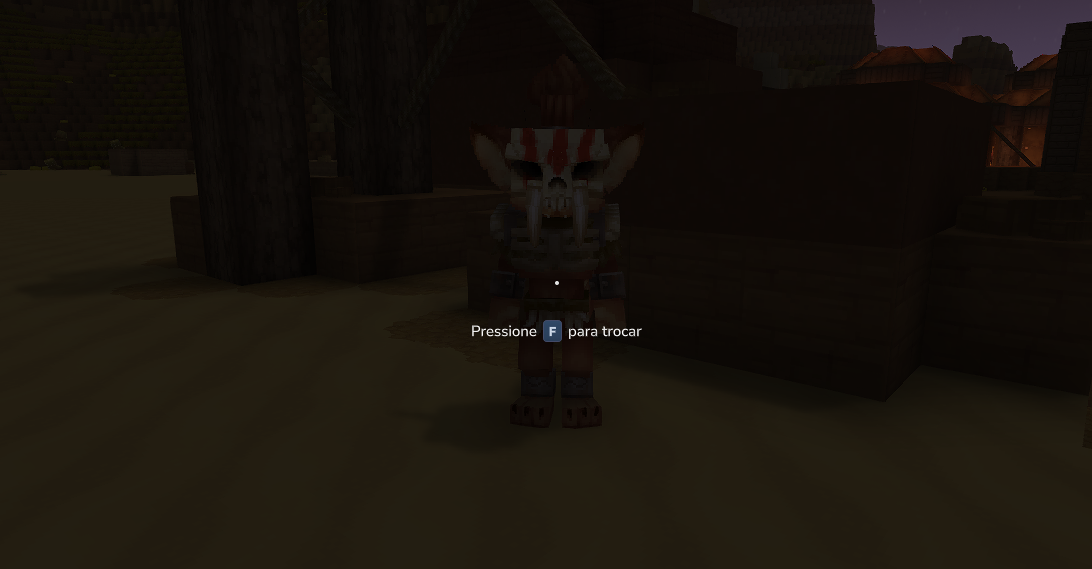
| Field | Value | Purpose |
|---|---|---|
Environments | ["Env_Zone2_Feran"] | Spawns only in Feran biomes (Zone 2) |
Weight | 100 | High weight ensures frequent spawning. Compare: vanilla critters use 5-20 |
Id | "Feran_Enchanted_Merchant" | Matches the NPC role filename from the NPCShopsAndTrading mod |
Flock | "One_Or_Two" | Spawns 1-2 merchants together |
Step 3: Create the Manifest
The spawn mod depends on both the Slime NPC mod and the Trading NPC mod:
NPCSpawning/manifest.json{ "Group": "HytaleModdingManual", "Name": "NPCSpawning", "Version": "1.0.0", "Description": "Custom NPC spawn rules for Slime in Azure forests and Feran Enchanted Merchant in Feran cities", "Authors": [ { "Name": "HytaleModdingManual" } ], "Dependencies": { "HytaleModdingManual:CreateACustomNPC": "1.0.0", "HytaleModdingManual:NPCShopsAndTrading": "1.0.0" }, "OptionalDependencies": {}, "IncludesAssetPack": false}Note that IncludesAssetPack is false — spawn rules are server-only files with no client-side assets (no models, textures, or icons).
Step 4: Advanced Spawn Options
Nocturnal Spawns with Moon Phases
Void creatures use night-only spawns with moon phase modifiers. This pattern makes NPCs more common during full moons:
{ "Environments": [ "Env_Zone1_Plains", "Env_Zone1_Forests" ], "NPCs": [ { "Weight": 20, "SpawnBlockSet": "Soil", "Id": "Slime", "Flock": { "Size": [2, 4] } } ], "DayTimeRange": [19, 5], "MoonPhaseWeightModifiers": [0.5, 1, 1.5, 1.5, 1], "LightRanges": { "Light": [0, 8] }, "Despawn": { "DayTimeRange": [5, 19] }}| Field | Purpose |
|---|---|
MoonPhaseWeightModifiers | Array of multipliers by moon phase (index 0 = new moon). 1.5 doubles spawns at full moon, 0.5 halves them at new moon |
LightRanges.Light | [min, max] light level (0-15). [0, 8] restricts to dark areas |
Despawn.DayTimeRange | NPCs forcibly despawn during these hours (dawn cleanup) |
Aquatic Spawns
For water-dwelling NPCs, use the Water block set with SpawnFluidTag:
{ "Environments": ["Env_Zone1_Forests"], "NPCs": [ { "Weight": 10, "SpawnBlockSet": "Water", "SpawnFluidTag": "Water", "Id": "Glowfish", "Flock": "Group_Small" } ]}Step 5: Test In-Game
-
Copy the
NPCSpawning/folder to%APPDATA%/Hytale/UserData/Mods/ -
Make sure the CreateACustomNPC and NPCShopsAndTrading mods are also installed (required dependencies)
-
Launch Hytale and test the Slime spawn:
- Travel to an Azure Forest or standard Forest biome in Zone 1
- Explore during daytime (6 AM - 6 PM)
- Slimes should appear naturally in groups of 1-2
-
Test the Merchant spawn:
- Travel to a Feran biome in Zone 2
- The Enchanted Merchant should appear naturally near Feran cities
- Right-click to open the trade UI
Common errors and fixes:
| Error | Cause | Fix |
|---|---|---|
| NPC never spawns | Wrong environment ID | Check Environments matches biome names from vanilla spawn files in the same zone |
Unknown NPC role | NPC role not found | Verify the dependency mod is installed and Id matches the role filename |
| NPC spawns at wrong time | DayTimeRange reversed | Daytime: [6, 18]. Night: [19, 5] (start > end wraps past midnight) |
| Too many spawns | Weight too high | Compare to vanilla: critters use 2-6, predators use 3-5 |
| NPC floats in air | Wrong SpawnBlockSet | Use "Soil" for ground creatures, "Birds" only for flying NPCs |
File Structure Summary
NPCSpawning/ manifest.json Server/ NPC/ Spawn/ World/ Zone1/ Spawns_Zone1_Azure_Slime.json Zone2/ Spawns_Zone2_Feran_Merchant.jsonVanilla Spawn Reference
| Vanilla File | Pattern | Use Case |
|---|---|---|
Spawns_Zone1_Forests_Predator.json | World spawn, daytime, equal weights | Forest predators (Bears, Spiders) |
Spawns_Zone1_Forests_Critter.json | World spawn, daytime, varied weights + flocks | Forest critters (Boars, Bunnies) |
Spawns_Void_Zone1.json | Night spawn, moon phases, light ranges | Void creatures |
Kweebec_Merchant.json | Dedicated merchant marker | Solo merchant at Kweebec villages |
Next Steps
- Create a Custom NPC — define the NPC roles that your spawn rules reference
- NPC Shops and Trading — create the Feran merchant NPC that spawns in settlements
- Custom Loot Tables — configure what your spawned NPCs drop when defeated