
Custom Loot Tables
Goal
Create a custom drop table for the Slime NPC from the Create a Custom NPC tutorial. You will build a guaranteed drop, add a weighted rare item, and learn how nested containers create complex loot logic.
What You’ll Learn
- How
Containertypes (Multiple,Choice,Single) work together to create drop logic - How
Weightcontrols probability of random drops - How to combine guaranteed and rare drops in a single table
- How
QuantityMinandQuantityMaxcreate variable drop amounts - How to connect a drop table to an NPC via
DropList
Prerequisites
- A working Slime NPC mod (see Create a Custom NPC)
- The Enchanted Tree mod installed (see Custom Trees and Saplings) — we use its Enchanted Fruit as a drop item
- The Crystal Glow block mod installed (see Create a Custom Block) — we use it as a rare drop
Companion mod repositories:
- hytale-mods-custom-npc — Slime NPC v1.0.0 (base mod without loot)
- hytale-mods-custom-loot-tables — Slime NPC v1.1.0 (with drop table from this tutorial)
Drop System Overview
Drop tables live in Server/Drops/ and control what items fall when an NPC dies, a block breaks, or a resource is harvested. The vanilla game organizes them by source type:
Assets/Server/Drops/ NPCs/ Beast/ Critter/ Intelligent/ Feran/ Trork/ Crop/ Wood/ Rock/ Plant/Every drop table is a JSON file with a root Container object. The container system uses three types that can be nested to create any drop logic:
Container Types
| Type | Behaviour |
|---|---|
Multiple | Evaluates all child containers in order. Each child runs independently |
Choice | Picks one child at random, weighted by Weight values. The Weight on the Choice itself controls whether the group activates at all |
Single | Terminal node. Yields the specified Item with a random quantity between QuantityMin and QuantityMax |
Step 1: Create a Guaranteed Drop
The simplest drop table guarantees one item every time. Let’s start by making the Slime always drop 1 Enchanted Fruit — the same fruit from the Custom Trees and Saplings tutorial.
Create (or replace) the drop table file:
CreateACustomNPC/Server/Drops/Drop_Slime.json{ "Container": { "Type": "Multiple", "Containers": [ { "Type": "Single", "Item": { "ItemId": "Plant_Fruit_Enchanted", "QuantityMin": 1, "QuantityMax": 1 } } ] }}A Multiple container with a single Single child guarantees the drop every time. The ItemId must match the filename of an existing item definition (without .json).
This is the same pattern used by vanilla crystal deposits. For example, Rock_Crystal_Blue.json guarantees 4-5 cyan crystals:
{ "Container": { "Type": "Multiple", "Containers": [ { "Type": "Single", "Item": { "ItemId": "Ingredient_Crystal_Cyan", "QuantityMin": 4, "QuantityMax": 5 } } ] }}Step 2: Add a Rare Crystal Drop
Now let’s make the Slime more interesting — keep the guaranteed fruit, but add a 10% chance to also drop a Crystal Glow block from the Create a Custom Block tutorial.
Update Server/Drops/Drop_Slime.json:
{ "Container": { "Type": "Multiple", "Containers": [ { "Type": "Choice", "Weight": 100, "Containers": [ { "Type": "Single", "Item": { "ItemId": "Plant_Fruit_Enchanted", "QuantityMin": 1, "QuantityMax": 1 } } ] }, { "Type": "Choice", "Weight": 10, "Containers": [ { "Type": "Single", "Item": { "ItemId": "Ore_Crystal_Glow", "QuantityMin": 1, "QuantityMax": 1 } } ] } ] }}How the Weights Work
The outer Multiple container evaluates both groups independently:
- Group 1 (
Weight: 100): 100% chance — always drops 1 Enchanted Fruit - Group 2 (
Weight: 10): 10% chance — sometimes also drops 1 Crystal Glow block
The Weight on a Choice container controls whether that group activates at all. Weight: 100 means always, Weight: 10 means 10% of the time.
This is the same pattern vanilla uses for NPC equipment drops. For example, Drop_Trork_Warrior.json uses three groups:
{ "Container": { "Type": "Multiple", "Containers": [ { "Type": "Choice", "Weight": 100, "Containers": [ { "Type": "Single", "Item": { "ItemId": "Ingredient_Fabric_Scrap_Linen", "QuantityMin": 1, "QuantityMax": 3 } } ] }, { "Type": "Choice", "Weight": 5, "Containers": [ { "Weight": 25, "Type": "Single", "Item": { "ItemId": "Armor_Trork_Head", "QuantityMin": 1, "QuantityMax": 1 } }, { "Weight": 25, "Type": "Single", "Item": { "ItemId": "Armor_Trork_Chest", "QuantityMin": 1, "QuantityMax": 1 } }, { "Weight": 25, "Type": "Single", "Item": { "ItemId": "Armor_Trork_Hands", "QuantityMin": 1, "QuantityMax": 1 } }, { "Weight": 25, "Type": "Single", "Item": { "ItemId": "Armor_Trork_Legs", "QuantityMin": 1, "QuantityMax": 1 } } ] }, { "Type": "Choice", "Weight": 15, "Containers": [ { "Type": "Single", "Item": { "ItemId": "Weapon_Battleaxe_Stone_Trork", "QuantityMin": 1, "QuantityMax": 1 } } ] } ] }}- Group 1 (
Weight: 100): Always drops 1-3 linen scraps - Group 2 (
Weight: 5): 5% chance to drop one armor piece (each with equal 25% inner weight) - Group 3 (
Weight: 15): 15% chance to drop a battleaxe
The inner Weight values within a Choice are relative to each other: 25 + 25 + 25 + 25 = 100, so each armor piece has a 25% chance when the group activates. The overall chance of getting the helmet is 5% x 25% = 1.25%.
Step 3: Connect the Drop Table to the NPC
Drop tables are referenced by NPC role definitions through the DropList field. The value matches the drop table filename without .json.
Open your Slime’s NPC Role at Server/NPC/Roles/Slime.json and add the DropList field to the Modify block:
{ "Type": "Variant", "Reference": "Template_Predator", "Modify": { "Appearance": "Slime", "MaxHealth": 75, "DropList": "Drop_Slime", "KnockbackScale": 0.5, "IsMemory": true, "MemoriesCategory": "Beast", "NameTranslationKey": { "Compute": "NameTranslationKey" } }, "Parameters": { "NameTranslationKey": { "Value": "server.npcRoles.Slime.name", "Description": "Translation key for NPC name display" } }}The "DropList": "Drop_Slime" tells the engine to resolve Server/Drops/Drop_Slime.json when the NPC dies. Vanilla NPCs use the same pattern — for example, Bear_Grizzly.json references "Drop_Bear_Grizzly".
Step 4: Nested Containers for Complex Drops
For more complex scenarios, you can nest Multiple inside Choice to create branching outcomes. This pattern is used by vanilla’s Wood_Branch.json for resource drops when breaking wood branches:
{ "Container": { "Type": "Choice", "Containers": [ { "Type": "Multiple", "Weight": 50, "Containers": [ { "Type": "Single", "Item": { "ItemId": "Ingredient_Stick", "QuantityMin": 0, "QuantityMax": 2 } }, { "Type": "Single", "Item": { "ItemId": "Ingredient_Tree_Sap", "QuantityMin": 0, "QuantityMax": 1 } } ] }, { "Type": "Multiple", "Weight": 50, "Containers": [ { "Type": "Single", "Item": { "ItemId": "Ingredient_Stick" } } ] } ] }}This table has two possible outcomes chosen by the outer Choice:
- 50% chance: Drop 0-2 sticks and 0-1 tree sap (both items from the
Multiple) - 50% chance: Drop 1 stick only
When QuantityMin is 0, there is a chance the item yields nothing. When QuantityMin and QuantityMax are omitted, the quantity defaults to 1.
Step 5: Empty Drop Tables
Some NPCs drop nothing. All vanilla critters — Squirrels, Frogs, Geckos, Meerkats — use an empty object:
{}This is how your Slime worked before this tutorial — without a DropList in the NPC Role, or with an empty drop table, the NPC drops nothing on death.
Step 6: Test In-Game
-
Copy your updated
CreateACustomNPC/folder to%APPDATA%/Hytale/UserData/Mods/ -
Make sure the CreateACustomBlock and CustomTreesAndSaplings mods are also installed — the drop table references items from both mods
-
Launch Hytale and enter Creative Mode
-
Spawn and kill the Slime multiple times:
/op self/npc spawn Slime -
Verify:
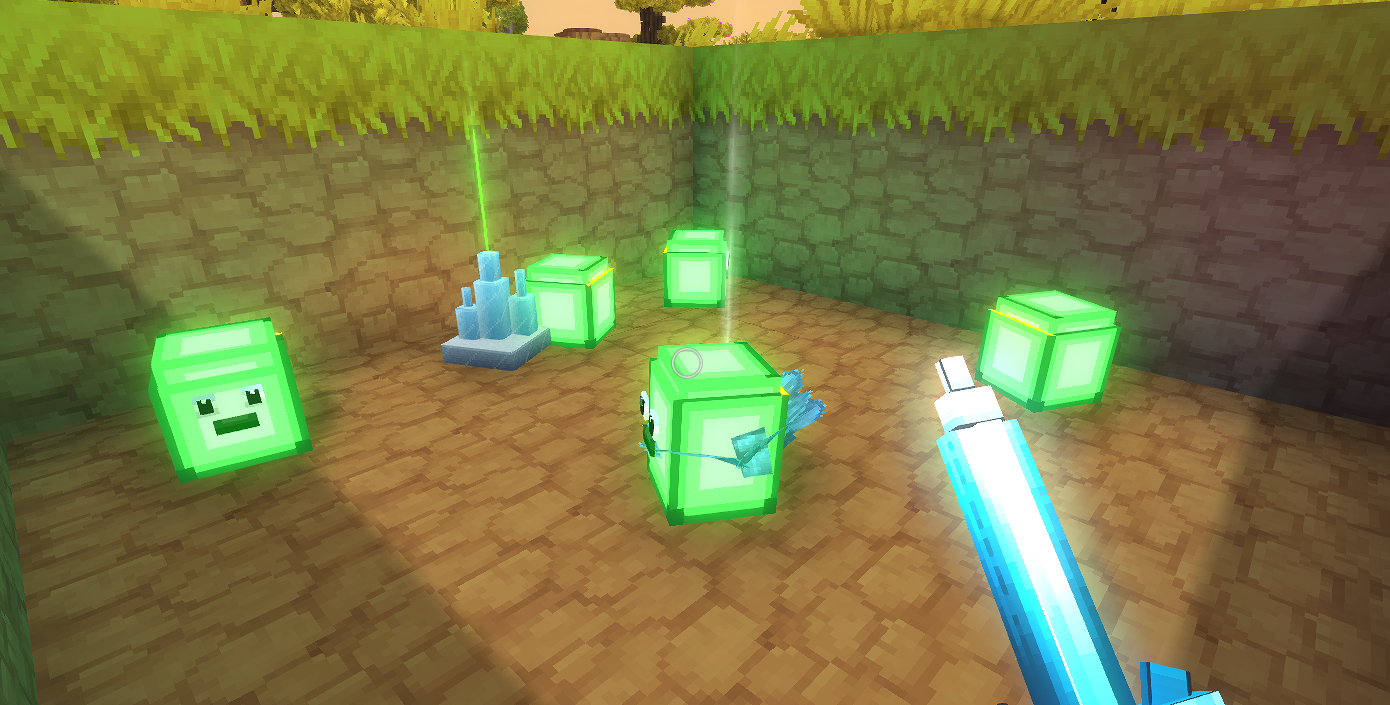
- Every kill drops 1 Enchanted Fruit (guaranteed)
- Approximately 1 in 10 kills also drops a Crystal Glow block (10% chance)
- Quantities are correct (always exactly 1 of each)
Common errors and fixes:
| Error | Cause | Fix |
|---|---|---|
Unknown drop list | Wrong filename or path | Verify Drop_Slime.json exists in Server/Drops/ and DropList matches without .json |
Unknown item id | Item ID typo or missing mod | Check ItemId matches actual item filenames. Ensure the mods providing those items are installed |
| NPC drops nothing | DropList missing from NPC Role | Add "DropList": "Drop_Slime" to the Modify block in Slime.json |
| Always same quantity | QuantityMin equals QuantityMax | Set different values for variable drops |
| Rare drop never appears | Weight too low or bad luck | Weight: 10 means ~10% — kill 20+ Slimes to confirm |
Vanilla Drop Table Reference
Here is a summary of real drop table patterns from the game’s assets:
| Vanilla File | Pattern | Use Case |
|---|---|---|
Rock_Crystal_Blue.json | Multiple → Single | Guaranteed resource drop |
Drop_Bear_Grizzly.json | Multiple → Choice(100) + Choice(100) | Multiple guaranteed drops |
Drop_Trork_Warrior.json | Multiple → Choice(100) + Choice(5) + Choice(15) | Guaranteed + rare loot |
Wood_Branch.json | Choice → Multiple(50) + Multiple(50) | Branching resource outcomes |
Drop_Frog_*.json | {} | No drops |
Next Steps
- Custom NPC Spawning — control where your loot-dropping Slimes appear in the world
- NPC Shops and Trading — create merchants that sell items from your loot tables
- Drop Tables Reference — complete schema reference for all container types